
There is a new post. Click here to view the latest post.
Update
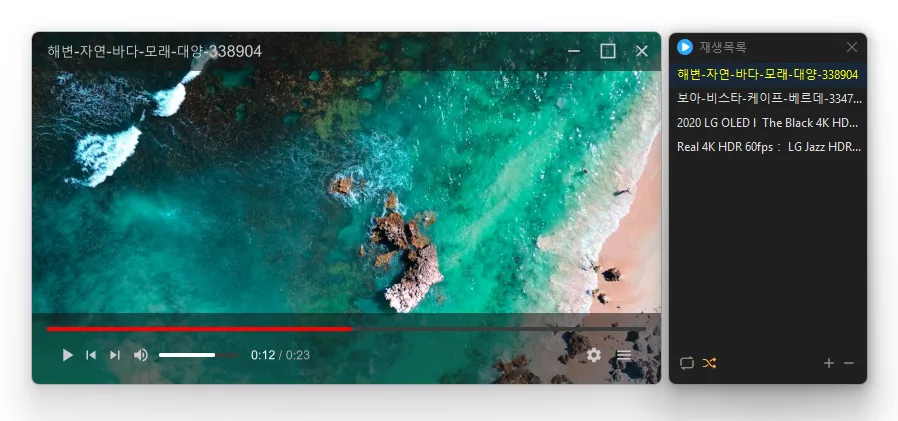
- Improved direct file opening so videos are added to the playlist and start playing right away
- Plays many media formats right away, with no extra codecs to install.
- Hardware acceleration keeps high-resolution video smooth.
- Ready to use as soon as it is installed, and it stays light and fast.
History
-
Version 0.9.1 (2026/04/22)
- Improved video playback stability and fixed artifact issues
- Enhanced compatibility across various PC environments
- Reduced screen tearing for smoother playback experience
- Improved visual quality and sharpness when scaling videos
-
Version 0.9.0 (2026/03/11)
- First Release
Download
 Download
(Windows)
(GitHub)
License
- KPlayer is open-source software.
- You can use it freely without restrictions on location, including at companies, homes, government offices, and schools.
- You are free to distribute it anywhere.
Frequently Asked Questions (FAQ)
- Is KPlayer free?
Yes, KPlayer is free to use anywhere, including at home, at companies, in government offices, and at schools. - Which video formats does it support?
It supports major media formats such as MP4, MKV, AVI, MOV, WMV, ASF, and MP3. - Does it include ads or adware?
No, KPlayer is completely free of ads and adware. No unwanted programs are installed alongside it during setup. - Is it open source?
Yes, KPlayer is distributed as open-source software. You can review the source code, and the software is developed transparently. - Can I add multiple files at once?
Yes, you can add multiple files or folders to the playlist at once using drag and drop.
Related Links
- Program source: https://github.com/newkilho/KPlayer
- Update information: https://blog.kilho.net/archives/notice/2940