
Update
- Fixed normal shutdown of running viewers during installation/removal
- Added support for HWP/HWPX documents
- Added saved view settings/descriptive titles/per-item jump and delete actions for bookmarks
- Fixed blurry PDF/HWP pages in two-page/continuous views, including after window resizing
- Fixed the main window showing only part of its content after opening settings
- Changed the top bar to appear whenever the bottom controls are visible
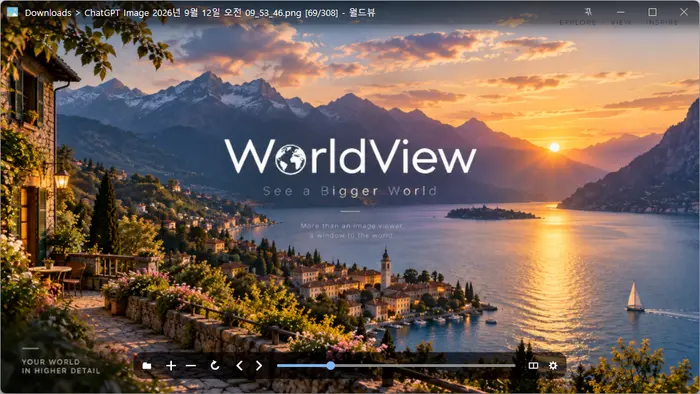
- Opens JPEG, PNG, GIF, WebP, TIFF, BMP, SVG, JPEG XL, and many other image formats.
- Views images inside ZIP, RAR, and 7Z archives and PDF pages, page by page, without extracting them.
- Supports single-page, two-page, cover-page, and webtoon viewing modes.
- Supports animated images, auto-rotation, color conversion, and smooth zooming.
- Uses GPU rendering and image caching to display high-resolution images smoothly.
- Provides file associations, fullscreen viewing, image information, and Recycle Bin deletion.
Website
- WorldView: https://worldview.kilho.net
History
-
Version 1.0.2 (2026/10/19)
- Added an option to turn pages with the wheel while zoomed in
- Added a Settings button to the title bar, removed the button from the bottom bar
-
Version 1.0.1 (2026/10/14)
- Fixed an issue that prevented some large JPEG images from opening
- Fixed maximized windows restoring when clicking an image
-
Version 1.0.0 (2026/10/13)
- Added an option to enlarge small images when fitting a single image to the window
- Refined the settings window size, text size, menu layout, and spacing
- Changed duplicate shortcut warnings to appear in a separate dialog
- Updated icons in the bottom toolbar and navigation arrows
- Changed on/off settings to checkboxes
-
Version 0.9.5 (2026/10/03)
- Fixed unexpected program exits when the GPU connection was lost on affected systems
License
- WorldView is freeware.
- You can use it freely anywhere, including at work, at home, in government offices, and at school.
- You are free to distribute it anywhere.
Download
 Download
(Windows)
Frequently Asked Questions (FAQ)
- What image file formats can I open?
It supports over 30 formats, including JPEG, PNG, GIF, WebP, TIFF, SVG, HEIC, AVIF, and camera RAW formats. - Can I view images in archive files without extracting them?
Yes. Open an archive file such as ZIP, RAR, 7Z, CBZ, or CBR to view its images one at a time. - Can I view PDFs?
Yes. Open a PDF document and browse through it one page at a time. - Can I view two pages side by side, like a comic book?
Yes. Turn on Two-Page View in the View menu. - Do GIF animations play?
Yes. It plays GIF, APNG, and animated WebP files. - Can I use it alongside other image viewers?
Yes. You can associate only the file extensions you want with WorldView.
Related Links
- Update Notice: https://blog.kilho.net/archives/notice/2940