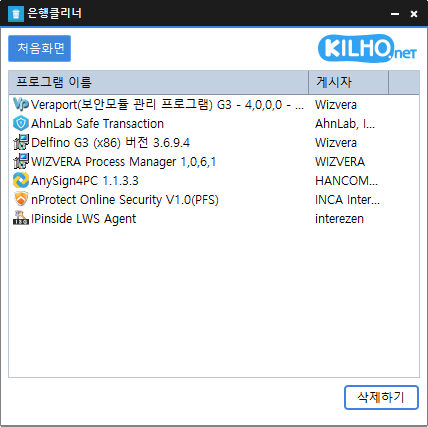
Is BankCleaner free? Yes, BankCleaner is free to use at home, at work, in government offices, schools, and elsewhere.
Can it remove security programs from all banks? We have confirmed that it removes programs installed by major banks, including KB Kookmin Bank, IBK, Woori Bank, and NH Nonghyup Bank.
Is it safe to delete programs? BankCleaner only launches the uninstallers provided by each security program.
Does it need to be installed? No, you can run it immediately after downloading, without any installation.
Examples
Remove unnecessary security programs left behind after online banking to speed up your PC.
Safely stop bank-related programs that launch automatically when they are not needed, freeing up computer resources.
Clean up your PC regularly to keep it running smoothly even after online banking.
Tips
Click or drag unwanted items in the program list to remove them all at once.
Using BankCleaner regularly prevents processes from lingering after online banking and keeps your system clean.
Run it right after banking to remove unnecessary programs immediately, which can also help protect your personal information and security.