
There is a new post. Click here to view the latest post.
Update
- Improved startup stability with certain security software such as nProtect and Fasoo
- Fixed conflicts caused by incorrect hooking behavior from certain antivirus/security modules
- Enhanced overall stability and compatibility
- Improved memory cleaning reliability
- Improved tray icon and UI behavior
- Cleaned up and optimized internal processing
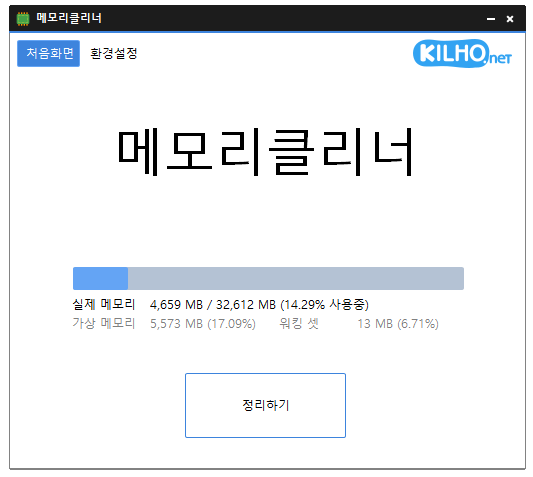
- A lightweight program for efficient memory management.
- Choose which memory areas you want to clean.
- Automatically cleans memory based on your selected interval or memory usage.
- Automatically clears cached memory when available memory runs low.
- Runs quietly in the system tray with minimal memory usage.
Homepage
- MemoryCleaner: https://memorycleaner.kilho.net
History
-
Version 1.9.8 (2026/04/08)
- Improved startup and auto-start behavior for better stability
- Fixed freezing and abnormal behavior issues on certain systems
- Optimized unnecessary processing to improve responsiveness and stability
- Improved dark mode compatibility on modern Windows systems
-
Version 1.9.7 (2026/03/21)
- Improved automatic memory cleaning for a smoother background experience
- Separated manual and automatic cleaning behaviors to deliver more optimal cleaning based on context
-
Version 1.9.6 (2026/03/10)
- Added memory usage display on the tray icon
- Improved stability of memory status updates
-
Version 1.9.5 (2026/02/24)
- Reduced unwanted auto-clean interruptions during gaming or video playback
License
- MemoryCleaner is freeware.
- You can use it freely anywhere, including at work, at home, in government offices, and at school.
- You may freely distribute it anywhere.
Download
 Download
(Windows)
Frequently Asked Questions (FAQ)
- Is MemoryCleaner free?
Yes, MemoryCleaner is free to use anywhere, including at work, at home, at school, and in government offices. - How do I clean up memory?
After launching the program, click the ‘Clean’ button to clean up memory right away. - Can memory be cleaned up automatically?
Yes, you can set it to clean up automatically based on memory usage or at regular intervals. - Do I need to install it?
No, you can run and use it right away without installing it.
Related Links
- Update announcement: https://blog.kilho.net/archives/notice/2940