Update ·
시크릿DNS 4.1.2 업데이트
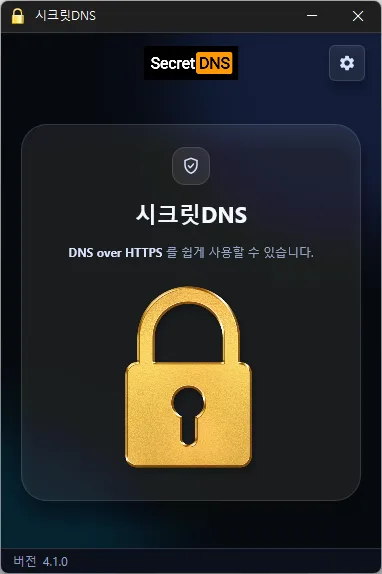
Update
- Restored the program and its previous running state after graphics errors on some systems
- Fixed the program closing when launched again immediately after startup
- Added a setting to minimize to the tray when closing
- Added support for Windows 7/8.1 and earlier Windows 10 versions
- Only specified domains can perform SNI fragmentation.
- Secure your DNS with DNS over HTTPS.
- The ability to bypass SNI eavesdropping (HTTP/HTTPS) is included.
- Fragmentation of only the SNI string to minimize slowdown.
- Minimize access problems through whitelisting.
- It is used by specifying a DNS server through packet bypass without changing Windows settings.
- You can easily check the information of the accessed site.
- 추천옵션을 사용하면 필요한 사이트만 예외처리를 하여 쾌적하게 사용할 수 있습니다.
홈페이지
추천옵션
- DNS 설정 – 암호화(DOH)
- SNI 설정 – 파편화(직접지정)
- 지정 목록 – 적용할 도메인을 입력
History
-
Version 4.1.0 (2026/10/15)
- Improved connection stability through refined connection handling and response validation
- Reduced initial connection delays for websites using QUIC
- Fixed downloads or connection handling stalling while using the proxy on affected systems
- Fixed address lookups incorrectly accepting responses to earlier requests
- Added an alert when startup settings cannot be changed and prevented incorrect setting status from being displayed
-
Version 4.0.6 (2026/10/10)
- Changed existing options to reset to defaults once when updating
- Prevented updates from overwriting user-configured DNS lists
-
Version 4.0.5 (2026/09/15)
- Improved VPN stability with automatic server switching
- Made VPN activity easier to identify in connection history
-
Version 4.0.4 (2026/09/14)
- Improved the update process and automatic startup reliability
- Redesigned Proxy Mix completely for more stable connections
- Added an easy way to choose and edit websites that use Proxy Mix
- Added saving of Proxy Mix preferences between app launches
- Added options to add and select your preferred DNS servers
- Improved encrypted DNS connectivity in some network environments
- Added domain address support and a new Cloudflare endpoint
- Added clearer guidance for selecting another server when encrypted DNS fails
- Made DNS settings easier to understand and use
- Simplified connection status messages for better clarity
라이센스
- 시크릿DNS는 Freeware 입니다.
- 회사, 집, 관공서, 학교 등 공간 제약 없이 마음대로 사용하실 수 있습니다.
- 자유롭게 어디에나 배포가 가능합니다.
Download
자주 묻는 질문(FAQ)
- 추천옵션은 왜 사용하는 게 좋은가요?
DNS 변조 방지, SNI 감청 방지 등의 기능을 손쉽게 이용하면서 속도와 보안까지 동시에 챙길 수 있습니다.
- SNI 파편화 기능은 속도를 저하시키나요?
아닙니다. 이 프로그램은 SNI 문자열만 파편화(Fragmentation)하여 속도 저하를 최소화했습니다.
- DNS 설정이 윈도우 시스템 설정을 변경하나요?
아닙니다. 윈도우 설정을 변경하지 않고 자체 DNS 설정(DNS over HTTPS)을 사용하여 안정적이고 안전합니다.
- 특정 사이트가 접속되지 않을 때 해결 방법은 무엇인가요?
화이트리스트 또는 지정 도메인 목록을 설정하여 접속 장애를 최소화할 수 있습니다.
- 설치하지 않고 사용할 수 있나요?
네. 무설치 버전을 제공하므로 설치 과정 없이 바로 사용할 수 있습니다.
관련링크



