
Update
- Changed sized sign-in popups to open in a separate window
- Conveniently watch videos from OTT services and various other websites.
- Automatically switch full-screen video to a PIP window.
- Freely adjust the position and size of the PIP window.
- Keep watching in the PIP window while doing other work.
- Save an entire web page as an image with a hotkey.
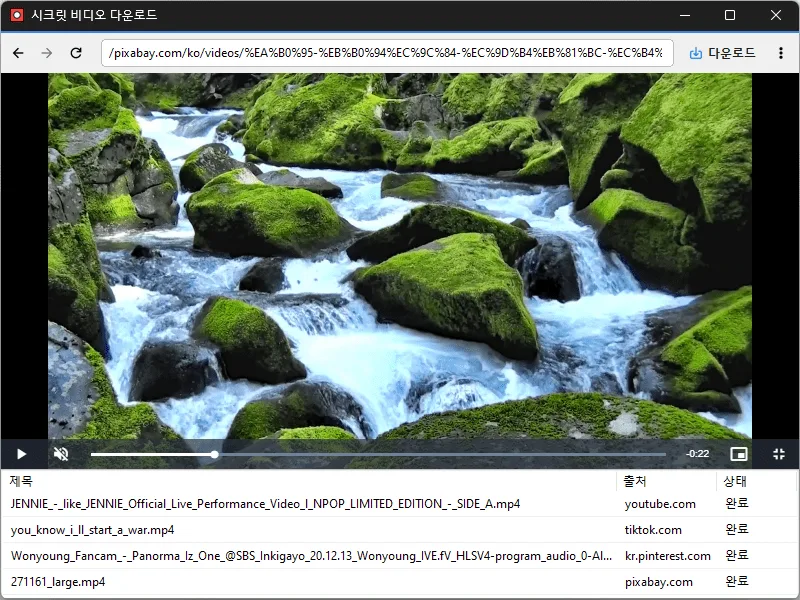
- Easily save publicly available videos.
홈페이지
- 시크릿비디오 : https://secretvideo.kilho.net
History
-
Version 1.4.0 (2026/10/24)
- Changed save-folder selection from a Browse button to clicking the field
- Changed shortcut-entry styling to muted text and an accent border
- Refined dropdowns to highlight only the item under the pointer
- Refined separators and the delete item label in the download-list context menu
- Updated the installer to close a running app normally during installation and removal
-
Version 1.3.5 (2026/10/19)
- Expanded support for video and social media platforms
- Added automatic extension updates
- Added a Home button to the address bar
-
Version 1.3.4 (2026/10/06)
- Added recording of the screen playing within the app
- Improved settings to manage save options and extensions in one place
- Added an option to enable or disable hardware acceleration
- Improved the download button to show the list for videos already downloading or downloaded
- Improved extensions to update automatically to the latest version
- Fixed video download failures / incorrectly displayed download buttons on some sites
-
Version 1.3.3 (2026/09/30)
- Improved downloads from older video links
- Added support for videos that open at a new address
- Improved downloads in some cases where video details were unavailable
라이센스
- 시크릿비디오는 Freeware 입니다.
- 회사, 집, 관공서, 학교 등 공간 제약 없이 마음대로 사용하실 수 있습니다.
- 프로그램 자체는 자유롭게 배포할 수 있습니다. (프로그램으로 저장한 영상의 재배포를 허락하는 것은 아닙니다.)
Download
 Download
(Windows)
자주 묻는 질문(FAQ)
- PIP(화면 속 화면) 기능은 무엇인가요?
웹사이트의 전체화면 영상을 자동으로 PIP 창으로 전환해, 다른 작업을 하면서 동영상을 함께 시청할 수 있는 기능입니다. - PIP 창의 위치나 크기를 바꿀 수 있나요?
네. PIP 창의 위치와 크기를 자유롭게 조절하고 항상 위에 표시할 수 있으며, 마지막 설정은 자동으로 기억됩니다. - 어떤 사이트의 동영상을 지원하나요?
여러 동영상 사이트를 지원합니다. 사이트별 정책과 저작권에 따라 이용이 제한될 수 있으니, 각 사이트의 이용약관을 확인한 뒤 사용하세요. - 저작권이 있는 영상도 받을 수 있나요?
공개된 영상이라도 저작권은 그대로 유지됩니다. 개인적 이용 범위를 벗어난 복제나 재배포는 저작권법 위반이 될 수 있으니, 각 사이트의 이용약관과 저작권자의 허락을 확인한 뒤 사용하세요.