
There is a new post. Click here to view the latest post.
Update
- Improved handling when record file fails to load
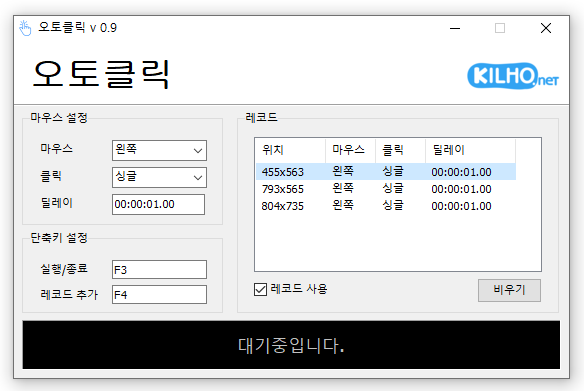
- A mouse automatic click program.
- You can add time and coordinates to use in multiple patterns.
- Click details can be specified.
Homepage
- AutoClick: https://autoclick.kilho.net
History
-
Version 1.4.8 (2026/01/26)
- Improved stability in certain cases during extended use
- Fixed an issue where loading files could fail in some environments
-
Version 1.4.7 (2025/12/30)
- Improved stability by fixing an issue that could occur while displaying record lists
- Fixed an issue where unexpected errors could occur during the file saving process
-
Version 1.4.6 (2025/11/15)
- Improved handling of invalid record values to prevent crashes
-
Version 1.4.5 (2025/11/06)
- Added randomization for smoother click timing
- Improved stability of hotkey registration and release
License
- AutoClick is freeware.
- You can use it freely in any setting, including offices, homes, government offices, and schools.
- You are free to distribute it anywhere.
Download
 Download
(Windows)
Frequently Asked Questions (FAQ)
- Is this automatic mouse-clicking program free?
Yes, you can use this program for free in any setting, including offices, homes, schools, and government offices. - Does the program need to be installed?
No, it is provided as a portable program that you can use right away without installation. - Can it click multiple locations in sequence?
Yes, you can set multiple coordinates and click them in sequence. - Can it click at specific time intervals?
Yes, you can set the time interval between clicks in detail.
Related Links
- Update announcement: https://blog.kilho.net/archives/notice/2940