
There is a new post. Click here to view the latest post.
Update
- Improved Windows 11 right click access for faster image conversion
- Fixed an issue where the right click menu could be missing or duplicated on some PCs
- Improved updates that could pause Explorer or fail to complete in certain environments
- Enhanced PDF clarity and stability when converting large documents
- Improved HEIC and AVIF file recognition
- Prevented unnecessary conversion failures by detecting empty or invalid files earlier
- Updated program information to accurately reflect supported formats
- You can change various image formats.
- Save JPG with higher compression using MozJPEG.
- Specify the width and the image will be resized accordingly.
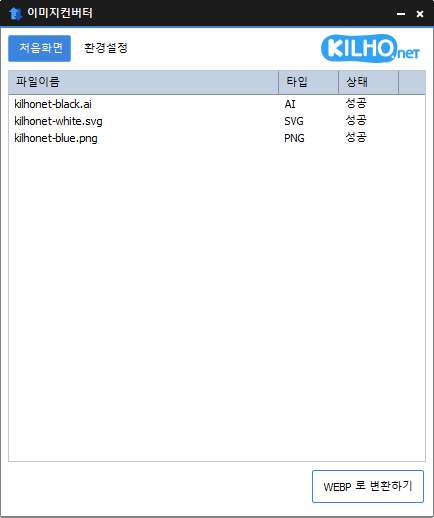
- Supports PDF, SVG, AI, PSD, PNG, JPG, GIF, WEBP, and TGA.
- Images with file signature information are recognized even if they don't have an extension.
Homepage
- ImageConverter : https://imageconverter.kilho.net
History
-
Version 1.6.2 (2026/08/17)
- Improved PDF conversion quality and stability with an upgraded conversion engine
- Fixed conversion and file detection issues affecting certain PDF and image files
- Improved cancellation support for safely closing the app during conversion
- Fixed issues where converted files could be saved to an unexpected location or incomplete files could remain in certain environments
- Fixed conversion and file handling issues with special characters in file and folder names
- Improved file saving reliability and protection for existing files
- Fixed issues where the File Explorer right-click conversion menu might not appear or launch correctly
- Fixed an issue where File Explorer might not restart properly after uninstalling the app
- Removed legacy components and improved overall stability and compatibility
- Improved file list performance and stability
-
Version 1.6.1 (2026/07/16)
- Improved image conversion reliability, including JPG and multi-page PDF
- Enhanced detection accuracy for HEIC and other image formats
- Improved processing stability and memory management across multiple tasks
- Refined the File Explorer context menu and settings experience
-
Version 1.6.0 (2026/05/20)
- Fixed inconsistent default value when setting image width
- Improved PDF conversion stability to prevent occasional freezes and leftover files
-
Version 1.5.9 (2026/04/10)
- Made it easier to choose size and output format right after adding files
- Moved size settings to a more convenient spot for a smoother workflow
- Added height-based resizing for more flexible size control
- Improved the auto-convert flow so it finishes more smoothly
License
- ImageConverter is freeware.
- You can use it freely without restrictions on location, including at the office, at home, in government offices, and at school.
- You may distribute it freely anywhere.
Download
 Download
(Windows)
Frequently Asked Questions (FAQ)
- Is ImageConverter free?
Yes, ImageConverter is free to use anywhere, including at home, at the office, in government offices, and at school. - Which image formats does it support?
It supports conversion between most image formats, including PDF, SVG, PSD, PNG, JPG, GIF, and WEBP. - Can I save JPG images with a higher compression rate?
Yes, MozJPEG technology lets you save images with a higher compression rate than standard JPG. - Does it require installation?
No, you can use ImageConverter right away without installing anything. - Can I convert multiple images at once?
Yes, you can drag multiple images into the list and convert them all at once.
Related Links
- Update announcement : https://blog.kilho.net/archives/notice/2940